What is ROAD Data Migration?
Move and modernize your data fast, with traceability, repeatability, accuracy, privacy, and governance built in.
ROAD Data Migration is a powerful, enterprise-grade solution designed to handle complex data migrations and transformations across systems. It supports a wide range of structured data sources including Oracle, SQL Server, Postgres, MySQL, Db2, and more.
Why Choose ROAD for Data Migration?
No code/Low code automated data movement across systems
Performance and scalability for modern enterprises
Fully integrated platform with multiple use cases
Enterprise-grade security
Flexible ETL/ELT engine
Supports on-premise and multi-cloud deployments
Plug-in architecture for custom logic (extensibility)
Full audit and governance
Metadata-driven orchestration
Business Challenges
Here are the problems that Data Conversion can tackle, both from a business and technical perspective.
Obsolete Data Structures Don't Match Modern Applications
- Legacy systems use outdated schemas (flat files, hierarchical DBs, COBOL copybooks, VSAM, DB2, PeopleSoft tables, etc.) that don't align with relational or cloud-native models.
- Conversion remaps these old schemas into modern relational, object-based, or API-driven formats.
Different Data Models Between Old and New Systems
- Modern applications (ERP, CRM, HR, SaaS platforms) expect data in entirely new structures.
- Conversion handles field mapping, normalization/denormalization, and reference data translation so legacy data fits the target app cleanly

Data Quality Issues in Legacy Systems
- Legacy databases often contain duplicates, incomplete values, or inconsistent codes
- Conversion cleanses, validates, and standardizes data before loading into the new application
Incompatible Encoding and Formats
- Older systems may store data in EBCDIC, proprietary encodings, or formats unsupported by modern platforms
- Conversion translates them into UTF-8, JSON, XML, or other modern-friendly formats
Historical Data Migration Requirements
- New applications often require selected history (e.g., last 7 years of transactions) while the rest is archived.
- Conversion separates and transforms data based on retention/business rules, ensuring modern apps only get relevant, compliant history
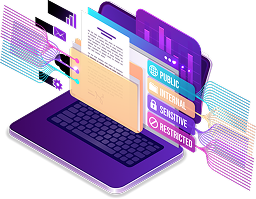
Risk of Data Loss or Corruption During Migration
- Direct dumps from legacy to modern systems often fail due to mismatched constraints or missing validation.
- Conversion enforces reconciliation, validation checks, and audit trails to ensure accuracy.

Integration into Modern Ecosystems
- Modern applications rely on APIs, real-time data, and event-driven integrations.
- Conversion prepares data to align with these interfaces, so legacy data isn't left behind.

Business Disruption During Cutover
- Organizations fear downtime when switching from legacy to modern apps
- A structured conversion solution allows staged migrations, pilot loads, and parallel runs to minimize risk.








Two-Step Data Migration Process
ROAD follows a simple two-step approach to ensure efficient and accurate data migration for ERP migrations.
Data is extracted from JDBC-supported sources and loaded into a secure staging area for audit-ready snapshots.
Staging Area
No Transformations Yet
PostgreSQL
ROAD applies masking, encryption, and validation before delivering data in multiple formats for target systems.
Staging Area
Transformations Applied


Parquet

Avro
Key Benefits
Minimizes disruption to source systems
Enables multiple dry runs without impacting production
Guarantees consistent transformations with full audit trails
Future-proof design with extensible target support
Workflows run in dev or production mode, with data masking in dev.
Defined source-to-target workflows are reusable, ideal for system integrators.